


Gaming network latency
Enjoy lag-free gaming with ultra-smooth connectivity.
How it works
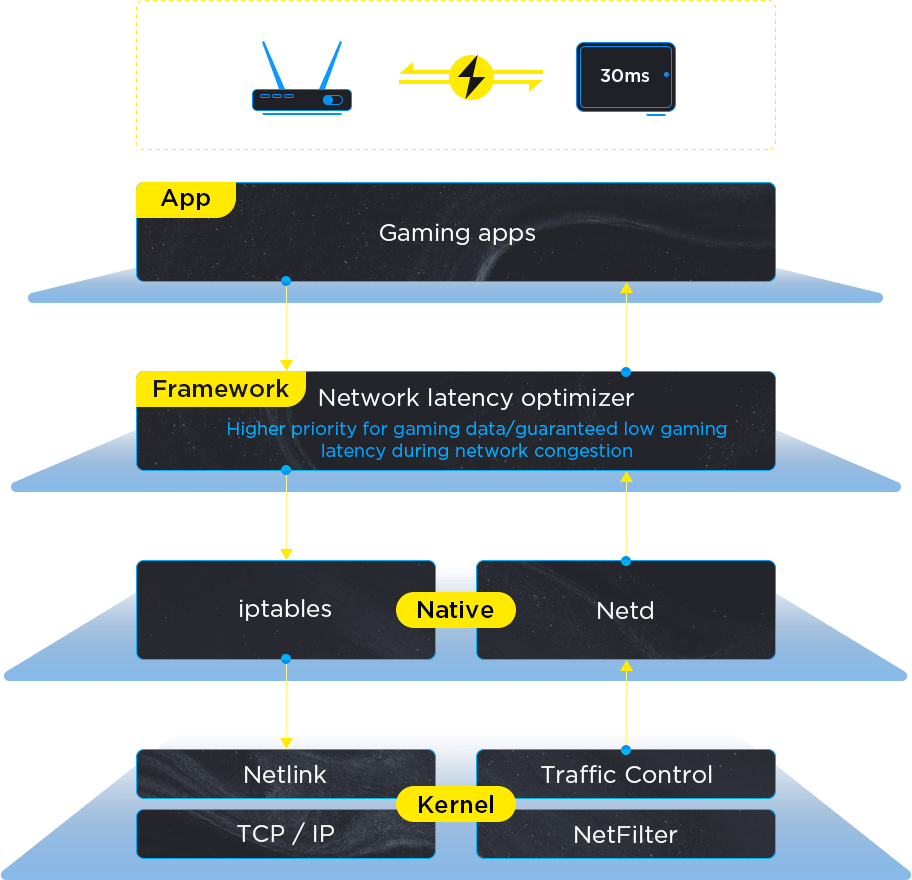
Prioritizing the transmission of gaming data on the IP and MAC layers ensures the efficient transmission of gaming data packets, thereby enhancing network performance in gaming scenarios.
A built-in mechanism for real-time data link quality detection and evaluation dynamically allocates more network resources to gaming apps when network congestion is detected to ensure a smooth gaming experience.
User perception
Even during network congestion—such as when other apps consume bandwidth or routers experience traffic spikes—gamers enjoy superior latency performance and a more fluid experience.
Stable WiFi connectivity
More stable connection and smoother switching.
How it works
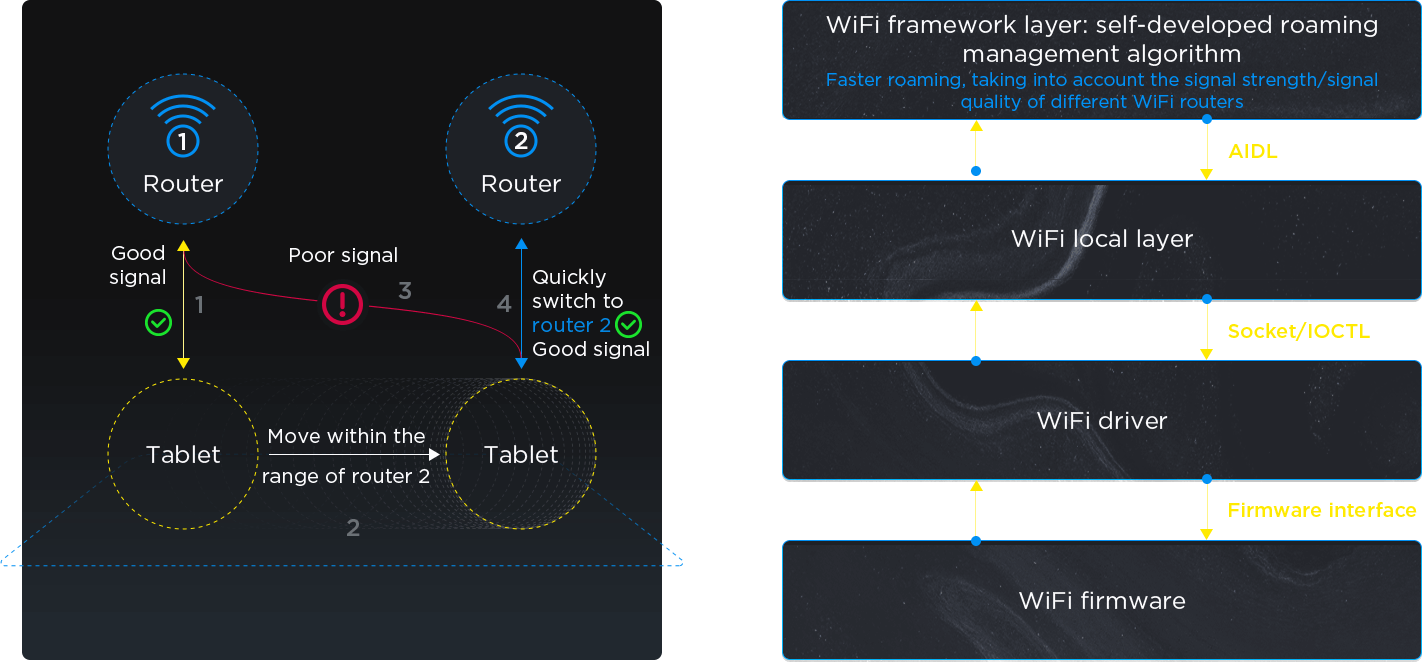
Using a self-developed algorithm, the WiFi roaming threshold is dynamically adjusted in real time to provide users with a smooth and uninterrupted network experience in ESS network environments (multiple routers using the same SSID).
User perception
Smoother switching between WiFi routers (mainly in corporate office environments)
Lowered WiFi interference
Enhanced resistance against Bluetooth interference.
How it works
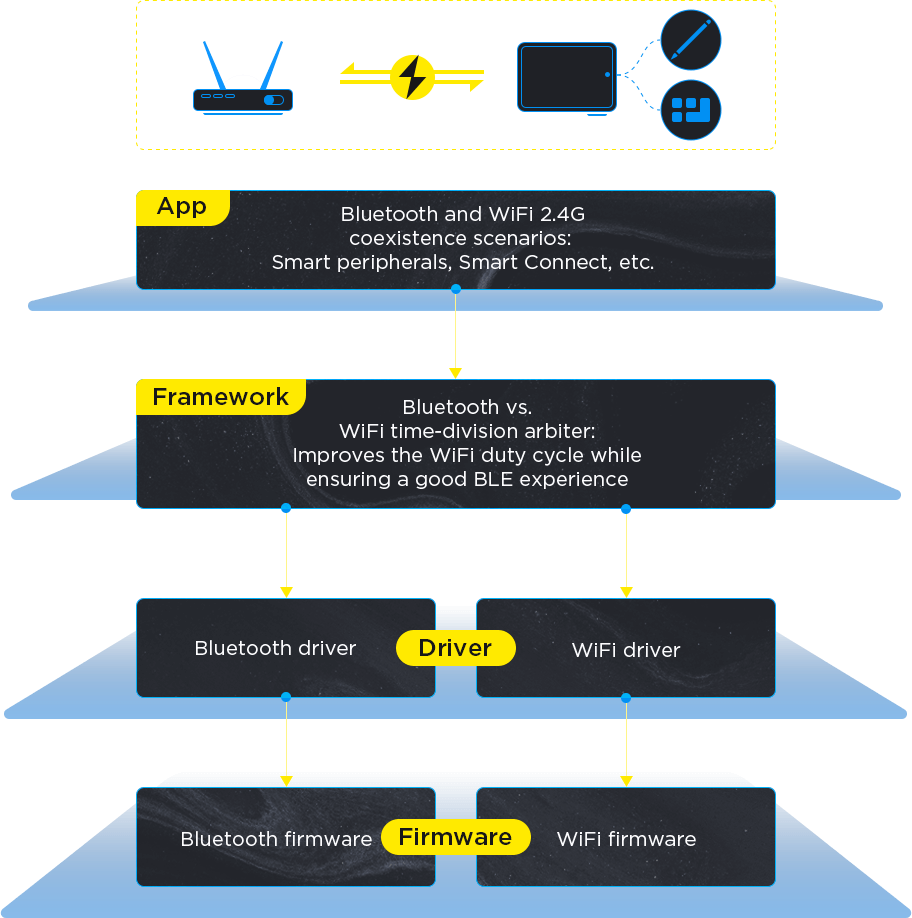
When BLE and WiFi 2.4G operate simultaneously, an optimized solution manages resource conflicts, improving WiFi data throughput while maintaining low power consumption and low latency for Bluetooth devices such as pens, keyboards, and controllers.
User perception
WiFi anti-interference capability is significantly improved after connecting Bluetooth devices like pens, keyboards, and controllers, ensuring a more stable and reliable connection.