


Memory management
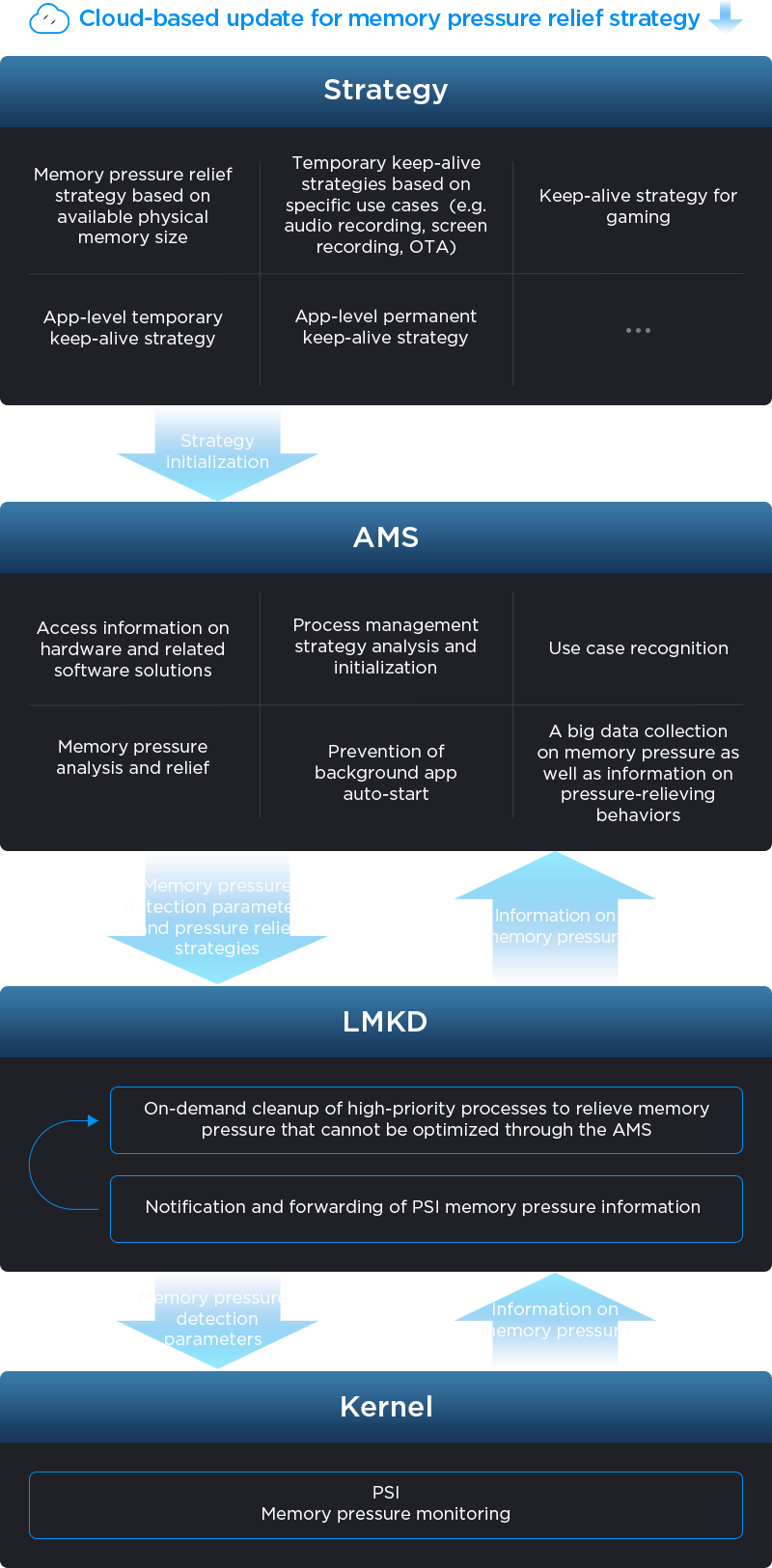
Realizes more efficient and flexible background process management to quickly relieve memory pressure and improve system smoothness.
How it works
By leveraging the kernel's PSI module to detect memory pressure in real time, and combining this information with a wide range of system data, the system accurately predicts and alleviates potential slowdowns caused by memory constraints. Unnecessary background processes are swiftly cleared, and memory is intelligently reclaimed to maintain system fluidity. This approach supports the flexible configuration of memory pressure detection and mitigation strategies based on project requirements, physical memory size, and specific use cases, ensuring broad compatibility and high performance across the entire product lineup.
User perception
On low-memory devices, users enjoy significantly reduced lag, faster app launches, smoother gameplay, better audio performance, and reduced CPU load.
+Consecutive launch of 20 apps accelerated by 60%
+CPU load reduced by 10%
*Continuous app launch response latency data is sourced from Lenovo Labs, tested on the factory version of the 2nd-generation Xiaoxin Pad Pro 12.7, compared with the 1st-generation Xiaoxin Pad Pro 12.7. All tested apps were versions from June 2024. Actual results may vary.
Background activity
Background app retention optimization.
How it works
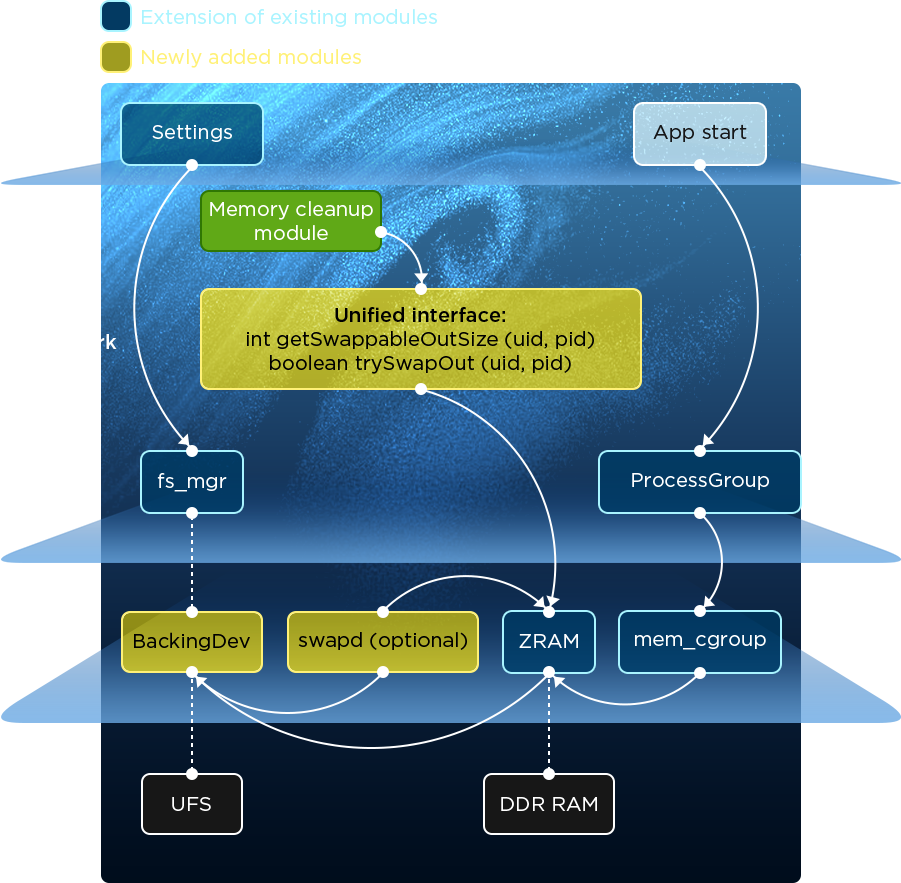
Advanced memory management further enables the dynamic adjustment of background process priorities according to real-world usage and business needs, delivering a smarter, more efficient strategy for keeping apps alive.
Additionally, memory expansion technology optimizes ZRAM utilization and improves the efficiency of data write-back to UFS storage, significantly enhancing background process retention capabilities.
User perception
In multitasking scenarios, such as gaming, video streaming, and instant messaging, app restarts are drastically reduced, ensuring a seamless and uninterrupted task-switching experience.
constantly being developed for the ZUXOS system in pursuit of longer battery life.
Balanced power
and performance
Optimized for diverse user scenarios, delivering both performance and energy efficiency.
How it works
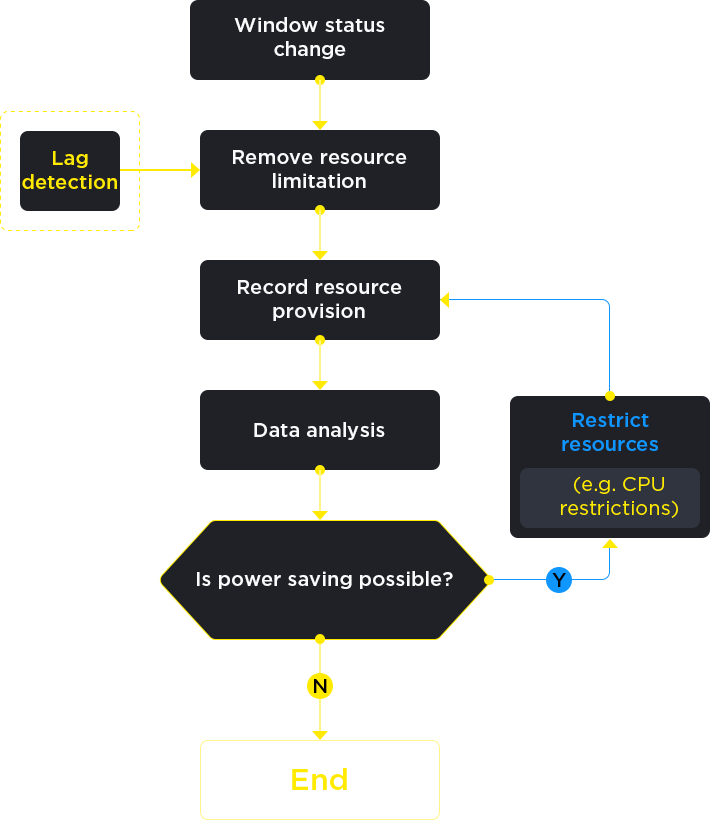
By intelligently recognizing device usage patterns and user behavior, the system dynamically adjusts resource allocation—optimizing CPU and GPU frequencies, managing CPU core usage strategies, and setting ideal screen refresh rates. This ensures smooth performance while significantly reducing overall power consumption.
User perception
A smoother system and longer battery life in all scenarios such as video playback, web browsing and instant messaging.
Night mode
Night-time standby saves even more power.
How it works
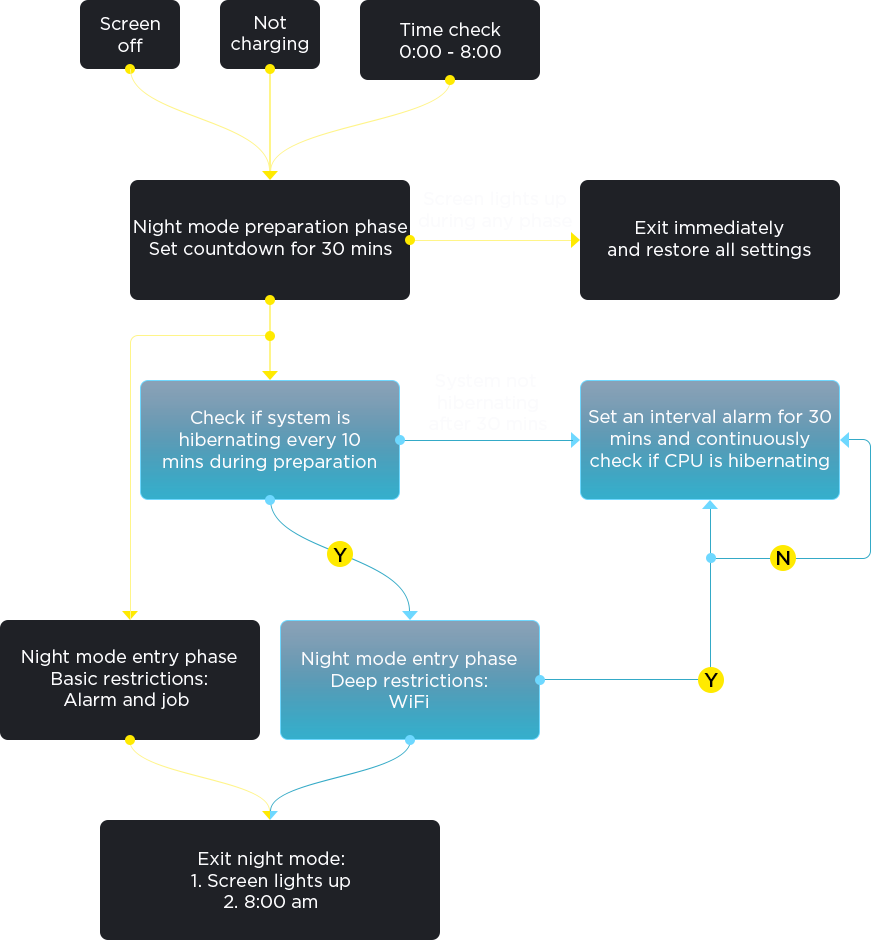
When in standby mode at night, the system effectively reduces the number of non-essential system wake-ups by intelligently managing the scheduling of alarms and network access behavior of apps in the background which significantly reduces standby power consumption during the night. The power consumption is reduced by 20% to 70% and the current is reduced to approximately 6 to 15 mA in standby mode.
Users can customize background app behavior in battery settings, striking the perfect balance between energy savings and timely access to important notifications—achieving both power efficiency and flexibility.
User perception
Enjoy longer battery life with reduced power consumption during overnight standby.
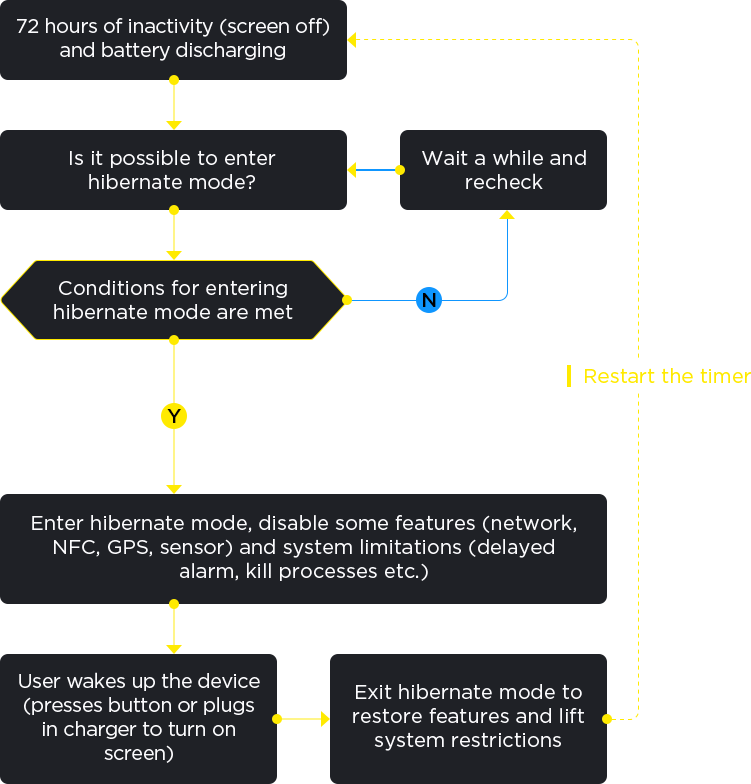
Hibernate mode
Extended standby, always ready to go.
How it works
For scenarios in which the device is powered on but has not been used for more than 72 hours, the system automatically activates the self-developed hibernate mode. This mode achieves overall power optimization and significantly extends the standby time by turning off instant messaging notifications, push messages and non-essential background services, as well as Bluetooth, GPS location, WiFi, sensors and the magnetic keyboard. In this state, users can quickly wake up the device by pressing the power button, and the system will immediately return to its normal operating state with no impact on the usage experience.
User perception
The device has a long standby time and allows the user to use it straight away without needing to wait for it to turn on.